Alternative to Tap Out and Brick: a phone lock box?
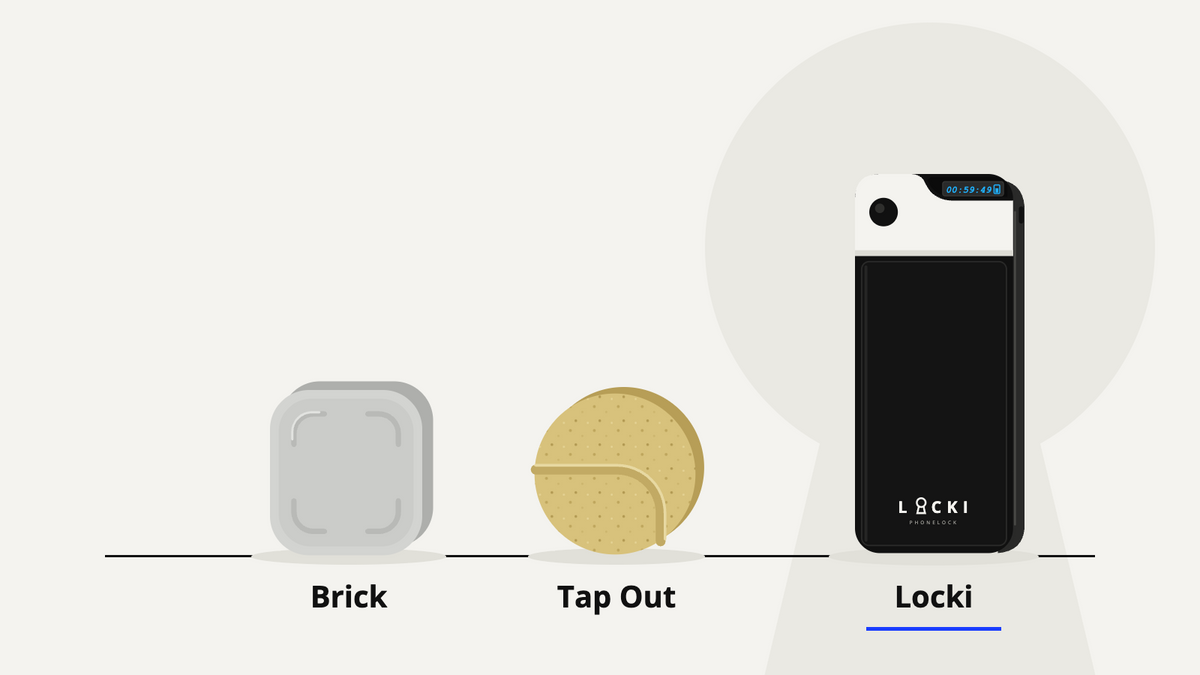
You bought a blocker. The first week went well. On day nine you tapped the emergency button. Just for a moment, because you had to look something up. You looked nothing up.
Sound familiar? Then the question is not which brand is best, but which kind of barrier suits you. Below, Brick, Tap Out and the phone lock box side by side: what they cost, what they lock and how many ways out they give you.
Full disclosure: we make Locki, one of the options. So we also tell you where the others are better, and what Locki is not good at.
The short answer
- Want to keep your phone with you and only lock a few apps? Pick a blocker. Tap Out if you want something Dutch without a subscription, Brick if you want the best known brand.
- Do you use the way out as soon as it is there? Then a blocker will not help you enough. A lock box puts your whole phone away until the time is up.
The real difference. Your apps or your phone.
Brick and Tap Out work in much the same way. You tap your phone against a separate object with an NFC chip, and the apps you pick get locked. Want them back? Then you have to walk back to that object. It works because you leave that key somewhere else, on the fridge or in a drawer.
A phone lock box does something else. It does not block apps, it blocks your hands. The whole phone goes in, you pick a time, and it only opens when that time is up.
How many ways out do you get? And do they come back?
Every product has an emergency exit, and that is fair: sometimes you really need your phone. The difference is how many there are, and whether they get topped up. That decides how strict it is in practice.
Source: the makers’ own sites and support pages, read on 3 November 2026. Locki: manual and product page.
Brick calls them Emergency Unbricks. You get five, and if you need more, you ask for them. Tap Out gives three emergency codes, which can also be topped up. That is not criticism: for many people that is exactly right. But if you know that a way out is an invitation for you, it matters whether it runs out.
Locki has two. After that the emergency opening is off for good, and you really wait until the timer is up. To be fair: if you break it open, it opens. It is a lock, not a bank vault.
What it costs. Once, no subscription.
With all three you pay once. The difference is the price, and what gets locked for that money.
Prices as the makers show them on their own Dutch sites, read on 3 November 2026. Locki: including free delivery in the Netherlands.
Everything side by side. Three options, eight questions.
| Brick | Tap Out | Locki | |
|---|---|---|---|
| What | NFC block + app | NFC point + app | Phone lock box with timer |
| Price | €63.95 | €49.95 | €34.95 |
| Subscription | No | No | No |
| App needed | Yes | Yes | No, everything is on the lid |
| What gets locked | Apps you pick | Apps you pick | The whole phone |
| Phone with you | Yes | Yes | No |
| Ways out | 5, can be topped up | 3, can be topped up | 2, then never again |
| Good at | Well-known brand, Strict Mode against deleting | From Amsterdam, 60-day trial, setting against deleting | No app to tap around |
Source: getbrick.com and tapoutclub.com/nl, read on 3 November 2026. Locki: manual and product page. Something out of date? Email us and we will fix it.
Where the others are better. Really.
Tap Out
Pick Tap Out if
you want something from Amsterdam, without a subscription, and mainly want to lock social media. You can try it for 60 days, and your phone stays with you.
Brick
Pick Brick if
you want the best known brand in this space. Turn on Strict Mode straight away: then you cannot delete the app during a block.
Locki
Pick a lock box if
you keep using a blocker’s way out, or your phone really has to leave your hands: while studying, working, eating or in the evening.
What Locki cannot do
Also honest
No schedules, no statistics. And your phone is really gone, including your banking app and your maps. Want to stay reachable while Instagram is locked? Then a blocker suits you better.
Which one suits you? Three questions.
- Ever tapped an emergency button when it was not an emergency?
No? Then a blocker will probably work fine. Yes? Go to 2.
- Does your phone have to stay with you, for work or to be reachable?
Yes? Pick a blocker and turn on its strictest setting. No? Go to 3.
- Are there set moments when it really has to go?
Studying, deep work, dinner, the last hours before bed. Then a lock box suits you. Phone in, pick a time, shut.
Or both
Many people end up with a combination: a blocker during the day for the apps that swallow you, and a lock box for the moments that really have to be phone-free. They do not get in each other’s way. Want to choose between lock boxes? Read what to look for in a phone lock box.
No app. No subscription. Just a lock.
Locki is a phone lock box with a timer. Phone in, pick a time, shut. Two emergency openings, and nobody tops them up.
View Locki €34.95Free delivery in the Netherlands. Pre-order, delivered by 31 January 2027 at the latest.
Questions. Short answers.
What is a good Dutch alternative to Brick?
Tap Out from Amsterdam works like Brick, with an NFC key and an app, without a subscription. If you want to lock your whole phone rather than a few apps, a phone lock box like Locki is the alternative.
What is the difference between Brick and Tap Out?
They work almost the same way: tap to lock apps and tap to unlock them. Brick costs €63.95 and has five emergency unlocks, Tap Out costs €49.95, has three emergency codes and lets you try it for 60 days.
Can it be done for free?
Yes. A loose NFC sticker with a free app, such as Foqos on iPhone, or the built-in Screen Time on iPhone and Digital Wellbeing on Android. You turn those on yourself, though, so you also turn them off yourself.
Does Locki need an app?
No. No app, no account and no subscription. You set the time with the buttons on the lid.
Can I still get to my phone in an emergency?
Twice, with the emergency opening. After that it is off for good and Locki only opens when the time is up.
More of this? Follow @locki.nl on Instagram. Dry, short and without push notifications.
- Brick: getbrick.com/pages/faq and support.getbrick.com, read on 3 November 2026
- Tap Out: tapoutclub.com/nl, read on 3 November 2026
- Foqos: the App Store, read on 31 October 2026
- Locki: manual and product page